Formerly known as Fetch Reporting in our startup days, DS Reporting was built by Banno engineers and is maintained by Dreamwork. This is important to know as you might hear others refer to DS Reporting as “Fetch Reporting” or “F-R.” Once you know how to do basic lookups, DS Reporting provides access to a variety of data about Banno institutions and users.
Details and Abilities
Institutions
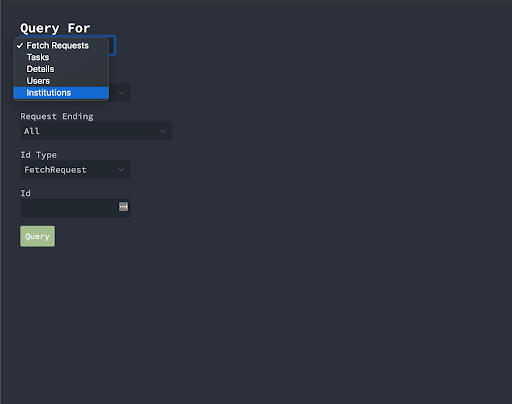
- Under the Query For dropdown, select Institutions.
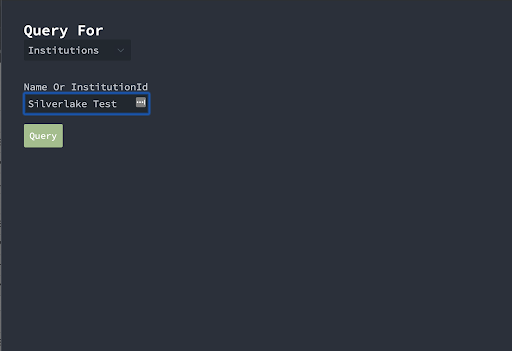
- Key in the name or institutionId of the institution you want.
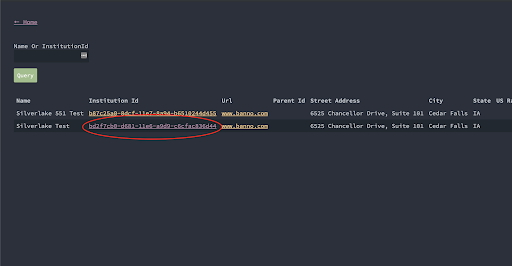
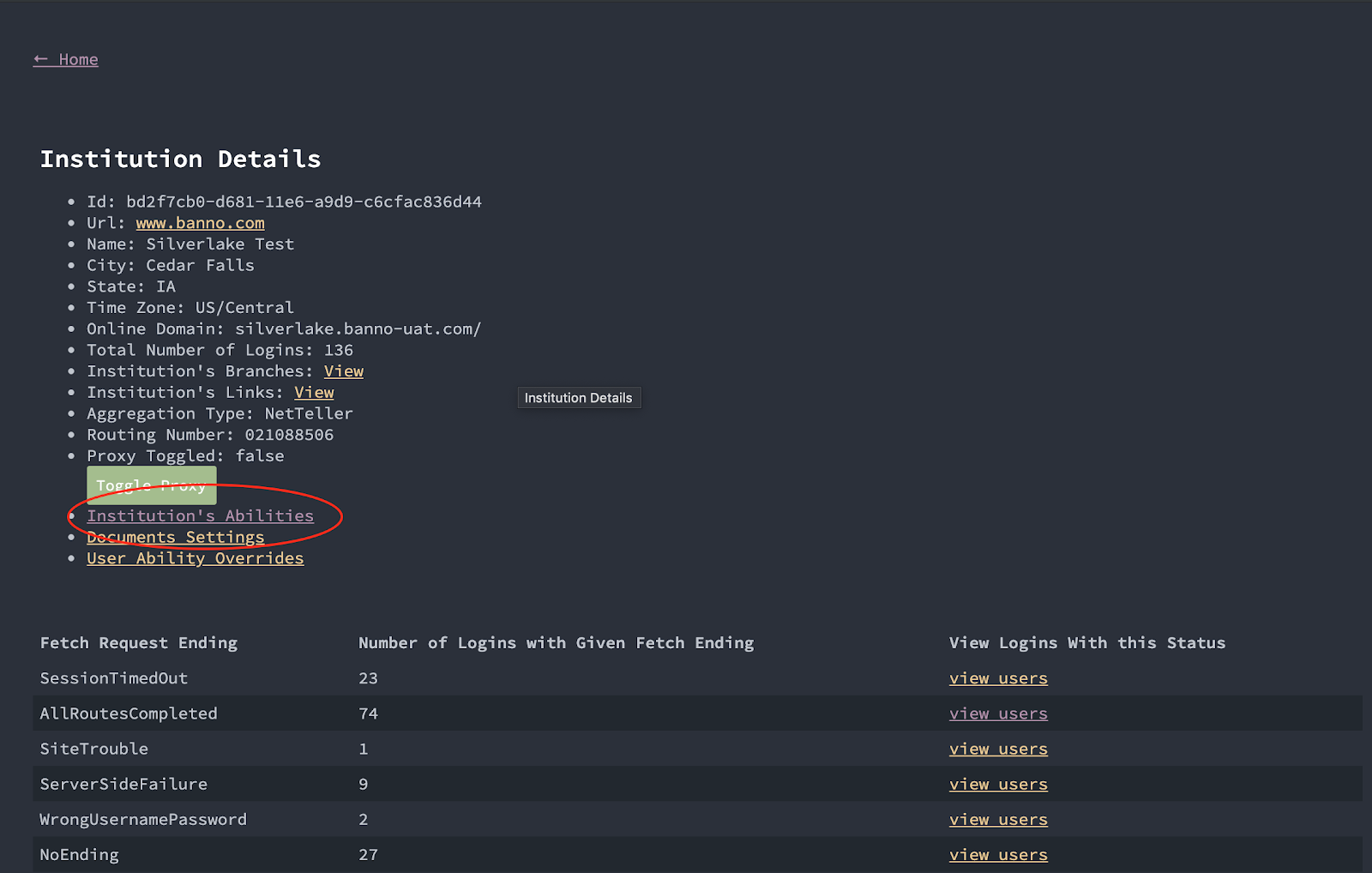
- In the search results list, click the Institution ID link to get to Institution Details.
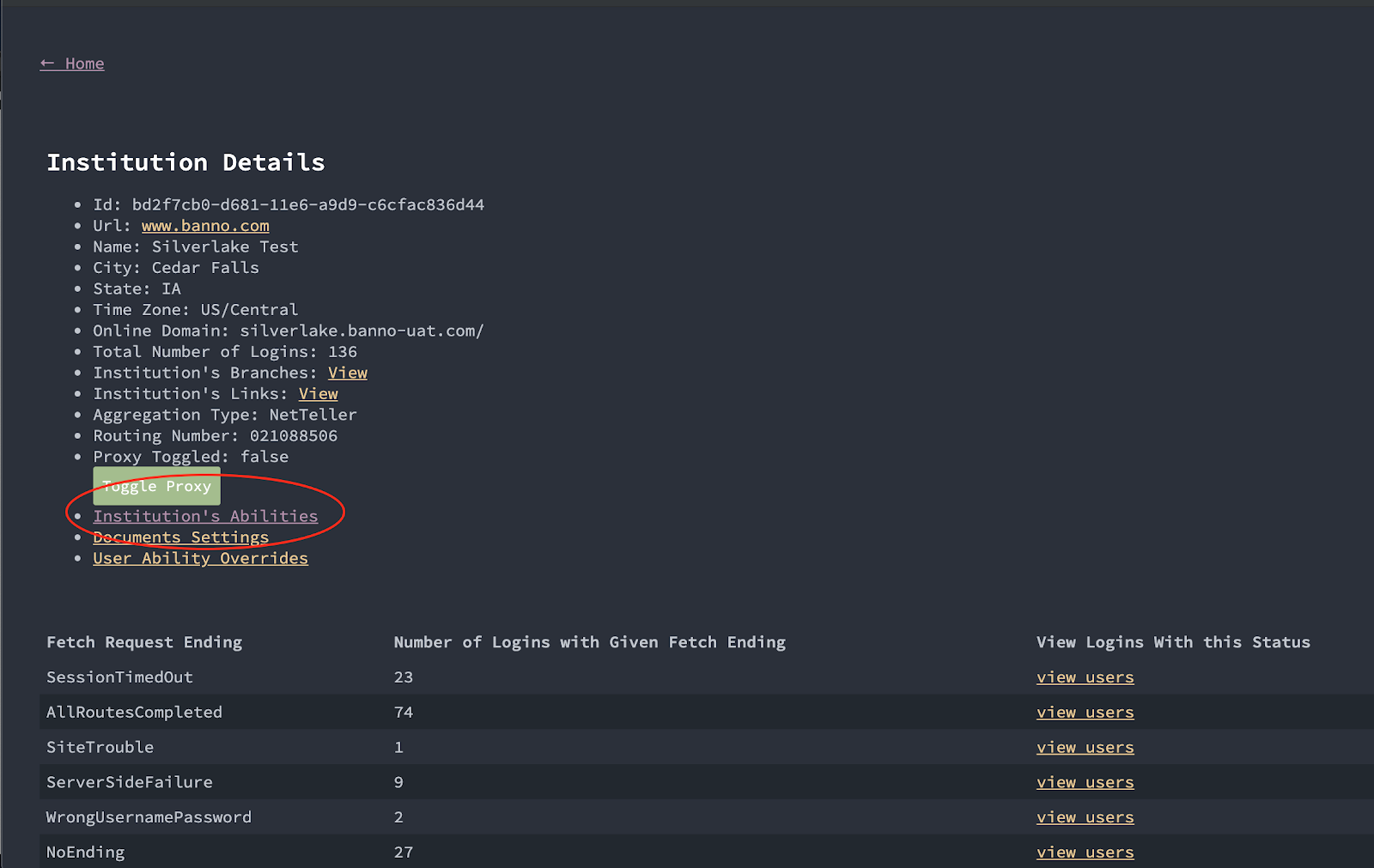
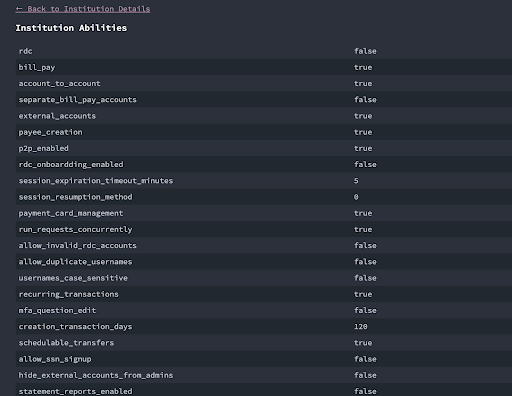
- Click the link to see the Institution’s Abilities.
- Institution Details shows you other useful info, such as the FI’s Routing Number and Time Zone.
- Scroll or search for the abilities you need to see.
Users
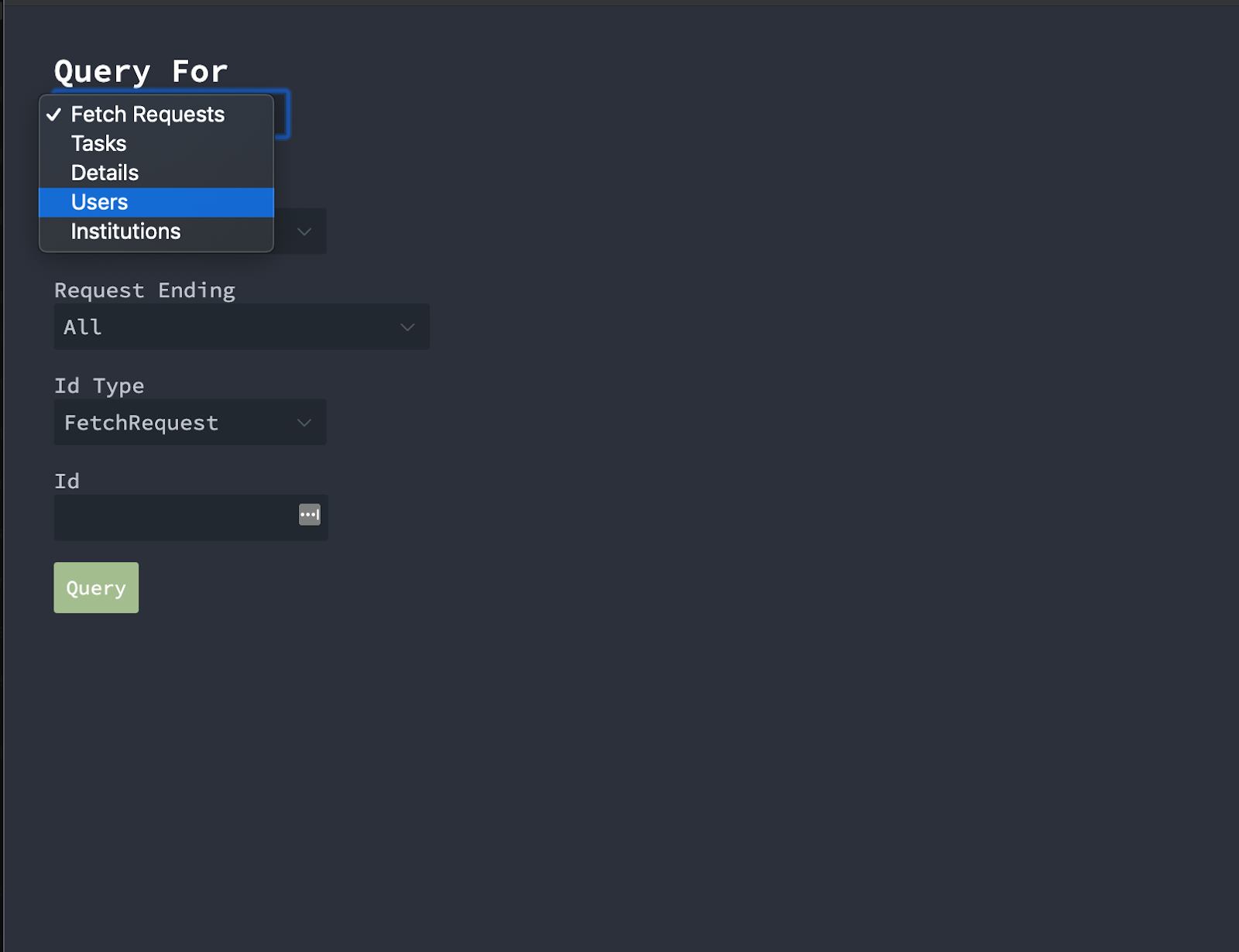
- Under the Query For dropdown, select Users.
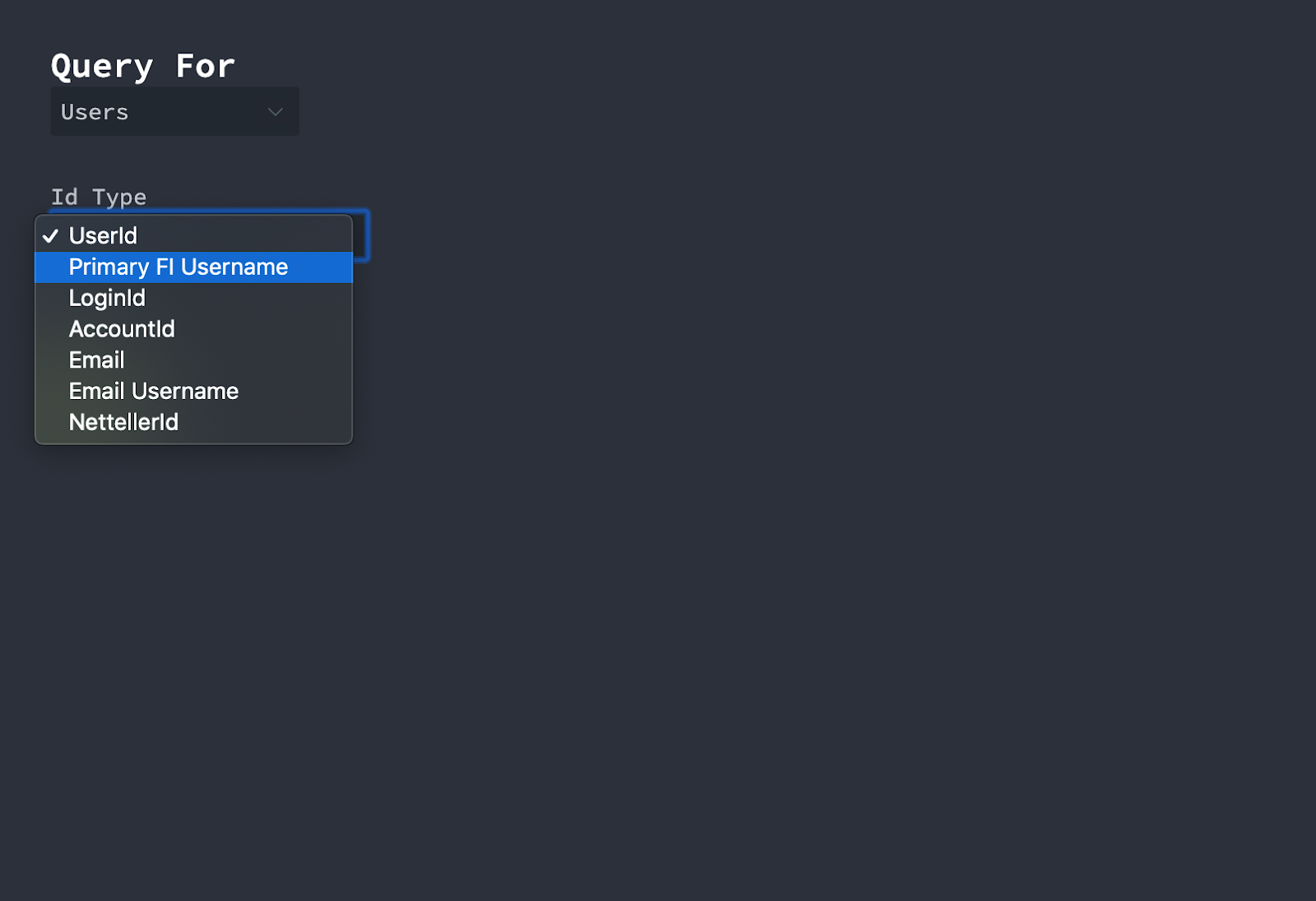
- Under the Id Type dropdown, select the search criteria you want to use.
- Primary FI Username = the username you use to log in.
- Examples
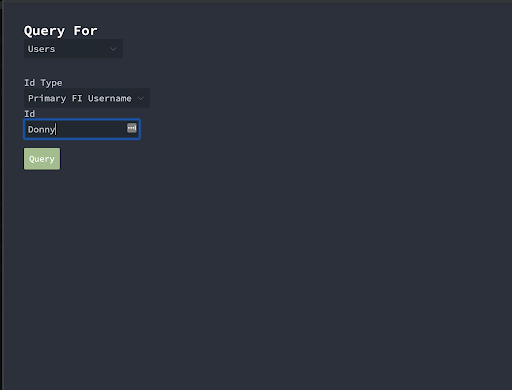
- Search by username.
- Search by NTID.
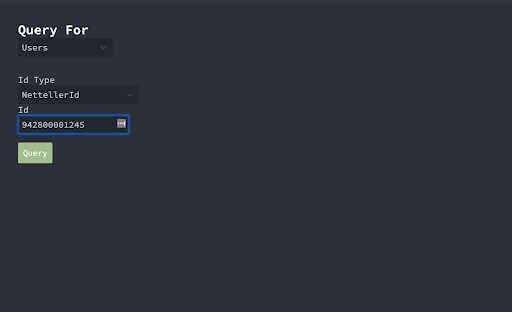
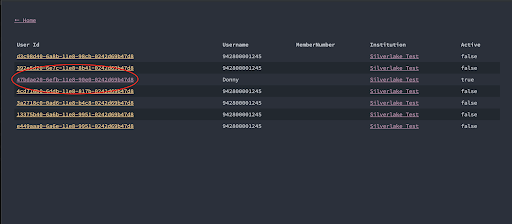
- In the search results list, click the User ID link to get to User Details.
- Note the Active = true/false column at the far right. This indicates if the user_id is currently active.
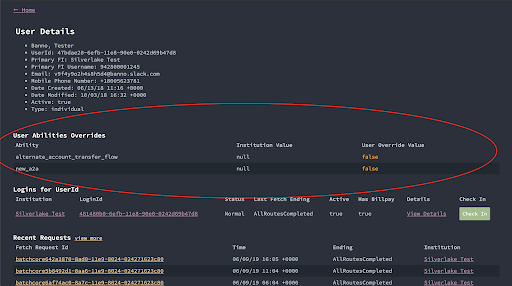
- The User Abilities Overrides section will be populated if the user has user-specific abilities set to override the institution abilities. Any abilities that don’t appear under User Abilities Overrides are not set at the user level (meaning the Institution Ability applies to that user).
- From the User Details view, if you need to see the abilities set at the institution level (or any other FI-level info), click the link for the institution’s name.
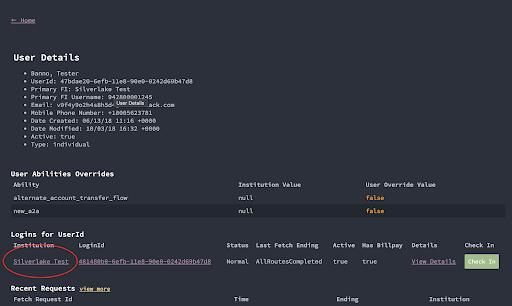
- Click the link to see the Institution’s Abilities.
Push Notifications
Within User Details, you can view what notifications a user received by selecting Notifications. The column Onesignal ID links to a new page, which has information on what OneSignal did with the notification after we sent it to them. platform_delivery_stats should say which channel they sent it on (iOS/Android/Web) and whether it was successful or not. This information should help if you have cases when a user says they aren’t receiving a push notification as you can check here to find more information on what’s happening.