Kenna Security is a vulnerability management system. You will need to request access to review vulnerability scan reports.
Requesting Access
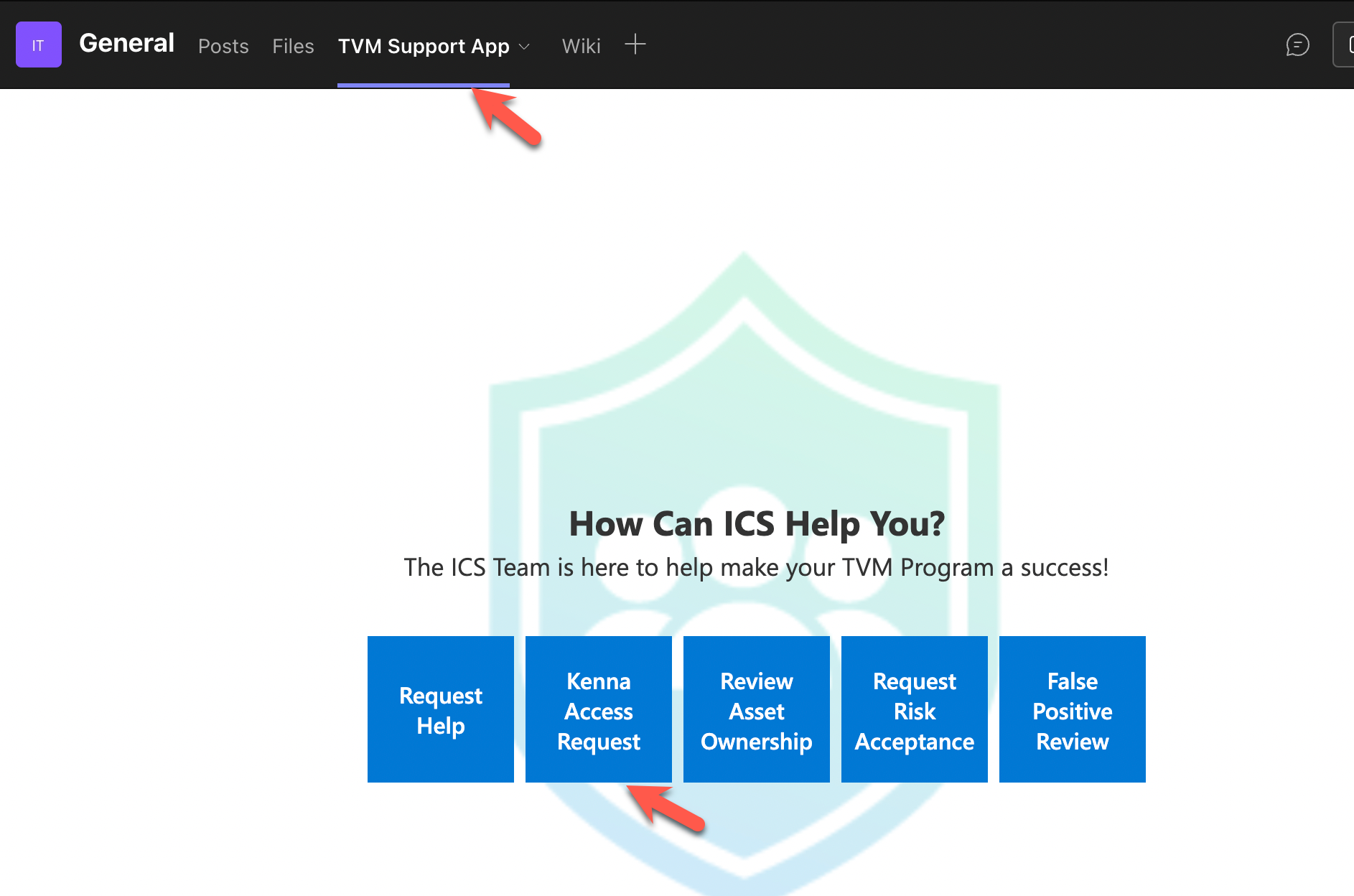
- Inside of MS Teams, go to the Team ICS Threat & Vulnerability Management
- At the top of the team, click TVM Support App.
- Click Kenna Access Request
- Search for and select users you wish to request access for then click next.
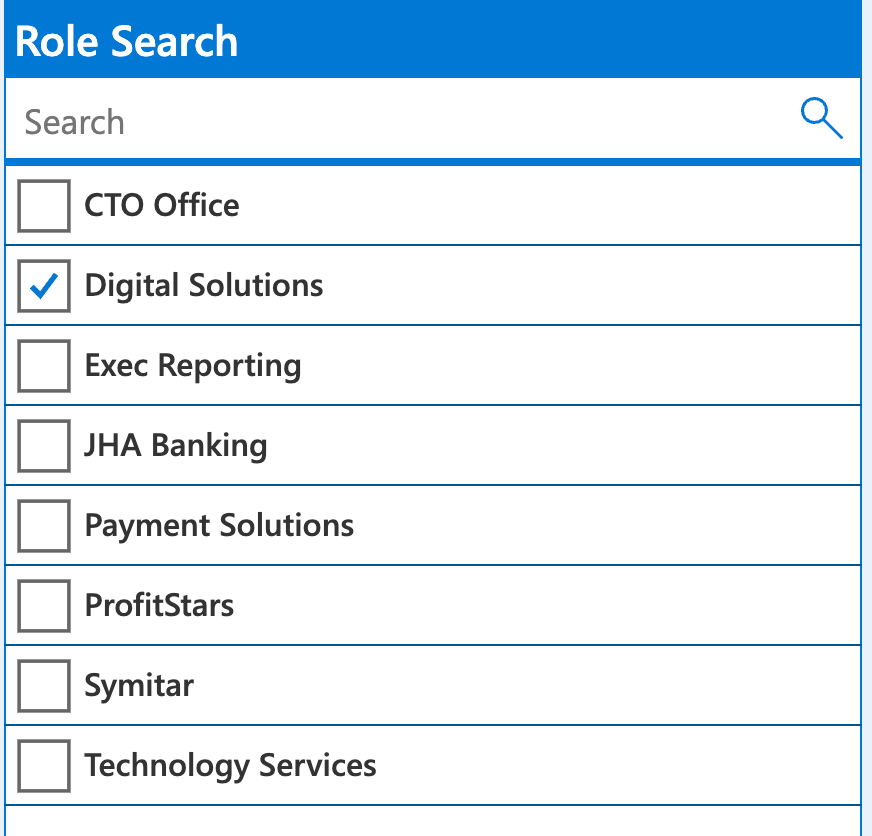
- Select the roles you need then click next. Most Jack Henry Digitial users will want to select the role Digital Solutions.
- Add a note and click next.
- Click send.