Canary Deployments
Caveats
- Environment only changes are NOT currently supported.
- Only versioned app changes, currently.
- App pipeline currently only supports kubernetes canaries.
- The
canary weights operate differently in our kubernetes and marathon environments. See Canary Weights
Canary Weights
The canary weights operate differently in our kubernetes and marathon environments.
This can be surprising, particularly in our kubernetes environment (see below for more explanation).
Kubernetes
In our kubernetes environment, canary instances share traffic with the current production instances in a purely “round robin” setup.
To have some control over traffic weights, the canary weight provided is used to determine how many canary instances to spin up, and possibly even spin down production instances.
The algorithm can be found in our banno-k8s-operator here.
This means that canary weights below 50% result in spinning up canary instances, to the nearest traffic weight it can get without spinning up more than the number of production instances.
Any canary weights above 50% result in spinning up canaries to match the previous number of production instances, while spinning production instances down.
This can be particularly limiting for single instance services, as they only have a single possible canary weight: 50%.
An example: If a service has 4 instances running in production and wants to canary a new version at 20% traffic, then the kubernetes operator will spin up a single canary instance - 1/5 total instances being 20%.
Marathon
The canary weight in our marathon environment is actually the ingress envoy weight, and is handled by our load balancer.
The number of instances of both the production service and the canary can be arbitrarily set, and the load balancer should appropriately distribute the traffic between the canary instances and the production instances. Then further divides the traffic among the instances of each.
E.g. A service with 2 production instances, and a single canary instance, requesting a canary weight of 50% will result in 50% total traffic to the production instances, 25% to each.
While the single canary instance would get the requested 50%.
Manual Deploy Requests
Kubernetes and Marathon deploys can both be canaried during a manual deploy.
NOTE: Marathon canaries must be setup as detailed here, prior
These are requested as usual in either #org-deployments or #org-pulsar. A pulsar team member will manually run the deploy scripts, taking new canary weights as the developer needs and proceeding with the full deployment when the developer is satisfied.
Jenkins App Pipeline
NOTE: The app pipeline currently only supports a kubernetes canary stage. Marathon canaries are not supported through the pipelines but devs can request manual canary deployments in #org-pulsar.
Services running in both kubernetes and marathon will only have a kubernetes canary stage.
Canary Stage(s)
The canary process is implemented via a new canary stage in the pipeline.
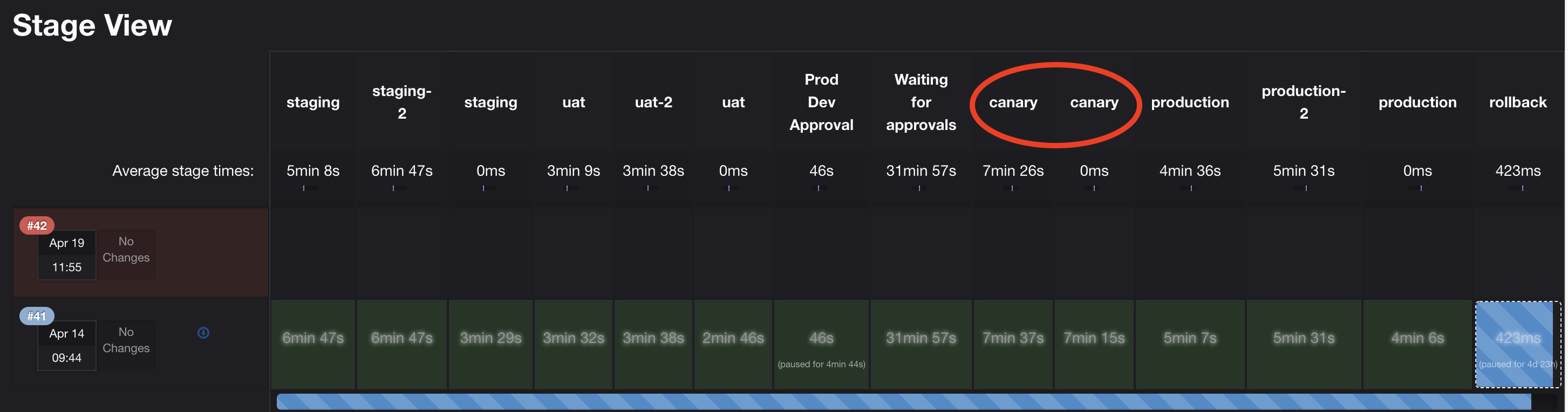
This stage allows the developer to deploy canary instances, prompting the developer for canary weights.
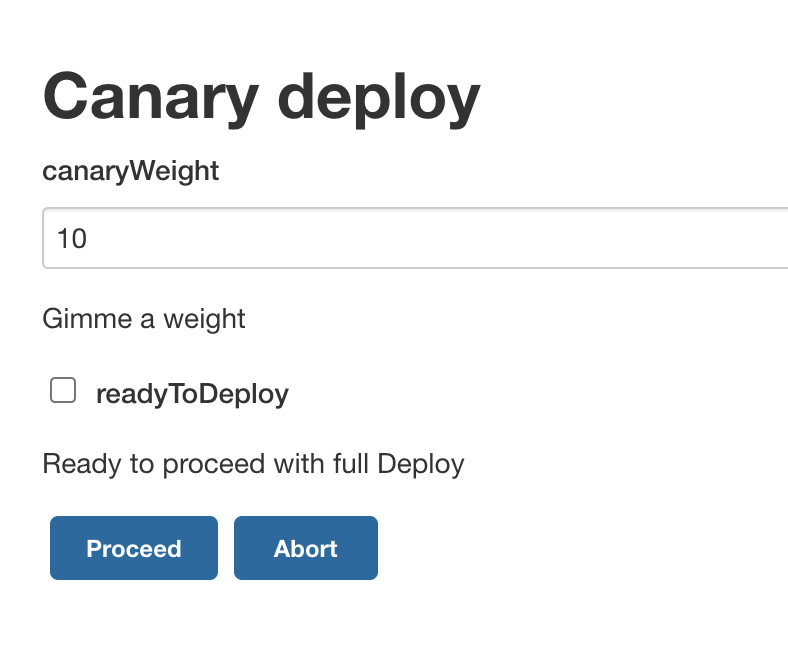
The developer may then perform one of 3 actions from this prompt.
Change canary weight
The developer may enter a canary weight leave the checkbox UNCHECKED, and click Proceed to deploy canaries.
They may repeat this stage and process as needed.
Note: Canary weights must be between 1 and 50 inclusive. A weight of 0 or above 50 will end execution.
Proceed with full deployment
Once the developer is confident in their deployment, they may choose to proceed with full deploy.
This is performed by checking the readyToDeploy checkbox, and clicking the Proceed button once more.
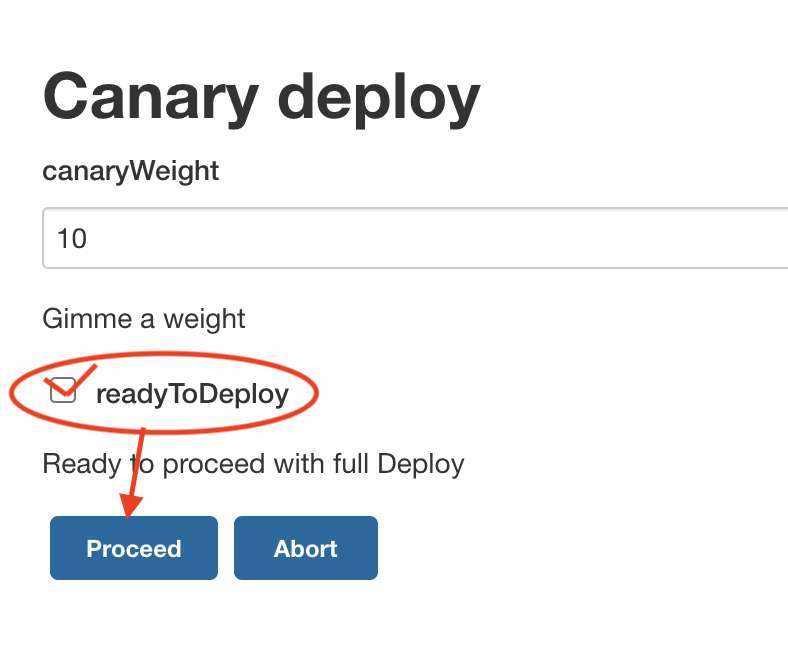
This will prompt the developer again with a confirmation dialog to spin down canaries.
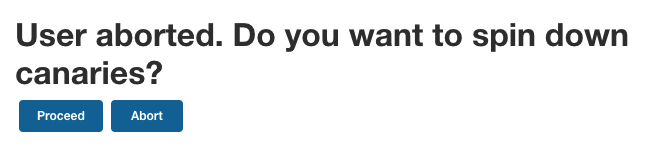 Note:
Aborting again, at this time will cause the canaries to be left running and receiving traffic.
Note:
Aborting again, at this time will cause the canaries to be left running and receiving traffic.
From here, a full rollback may still be performed from the optional rollback stage.
Abort deployment
If the developer decides to abort the deployment, they can do so by clicking the Abort button on the canary dialog.
This will prompt the developer again with a confirmation dialog to spin down canaries.
Note: Aborting again, at this time will cause the canaries to be left running and receiving traffic.