FileVault
FileVault full disk encryption is automatically enabled on your Mac by default. This setting is enforced, meaning you are unable to turn off FileVault.
A unique personal recovery key is automatically stored with JH in Jamf Pro. If you forget your local Mac password, contact #org-ground-control on Slack. We can provide the recovery key to help you unlock your Mac.
Troubleshooting
Problem: I keep seeing a popup that says my encryption key needs repair
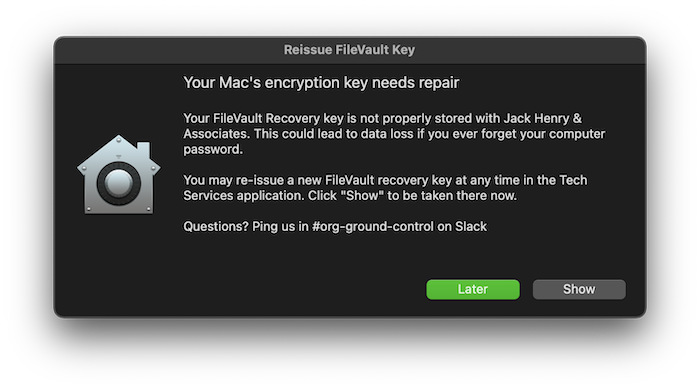
Cause: Your FileVault recovery key is not properly stored with Jamf Pro.
Solution: Reissue a new FileVault Key from Self Service+
- Click Show on the above popup, or navigate to Self Service+ > Reissue FileVault Recovery Key
- On the Reissue FileVault Key item, click Reissue
- Enter your local computer password when prompted.
- A confirmation will appear when the process is complete.